 Help Center
Create products and control stock
Configure name, category, retail price, VAT, SKU, initial stock, alerts, and description.

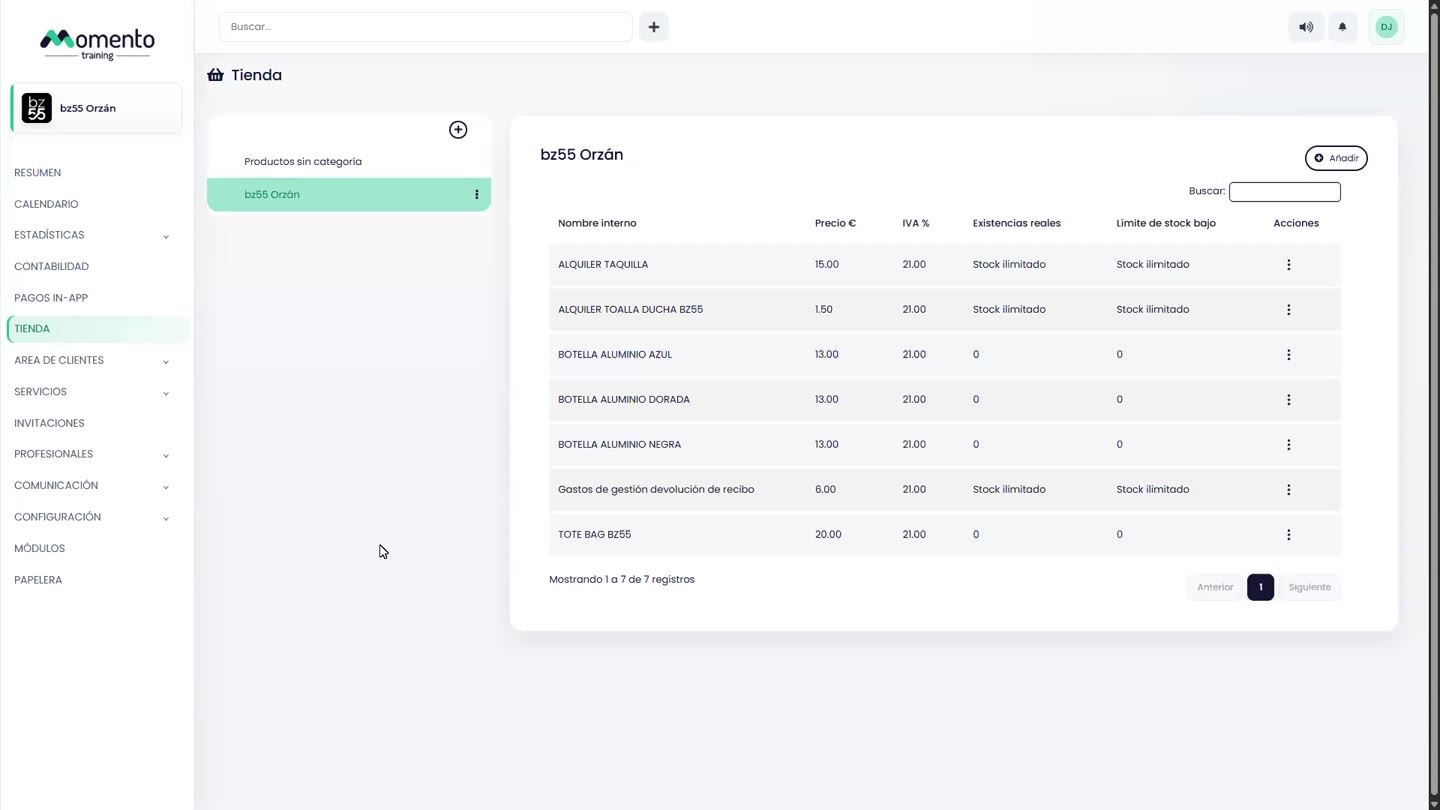
The Shop lets you sell physical products or products imported from the app and integrations.
When creating a product, distinguish the internal name from the visible name, complete the price with VAT, and define whether stock will be tracked.
The low-stock limit helps detect when a product should be replenished from Overview or from the Shop itself.
Recommended steps
- Open Shop.
- Find the product, category, sale, or stock movement you want to review.
- Check price, VAT, stock, and status before saving changes.
- Review the result in the list or the related history.
Before you start
Make sure you are in Shop and that you have permission to perform this action in the correct center.
If you are changing information that affects clients, bookings, payments, or notifications, review the current state first to avoid incomplete changes.
What happens next
After saving or applying the action, return to the related list, profile, or session and check that the change appears as expected.
If the result is not what you expected, review filters, selected date, active center, and item status before repeating the action.