 Help Center
Interpret in-app payments and payouts
Separate purchase, charge, payout, and refund concepts in app-managed payments.

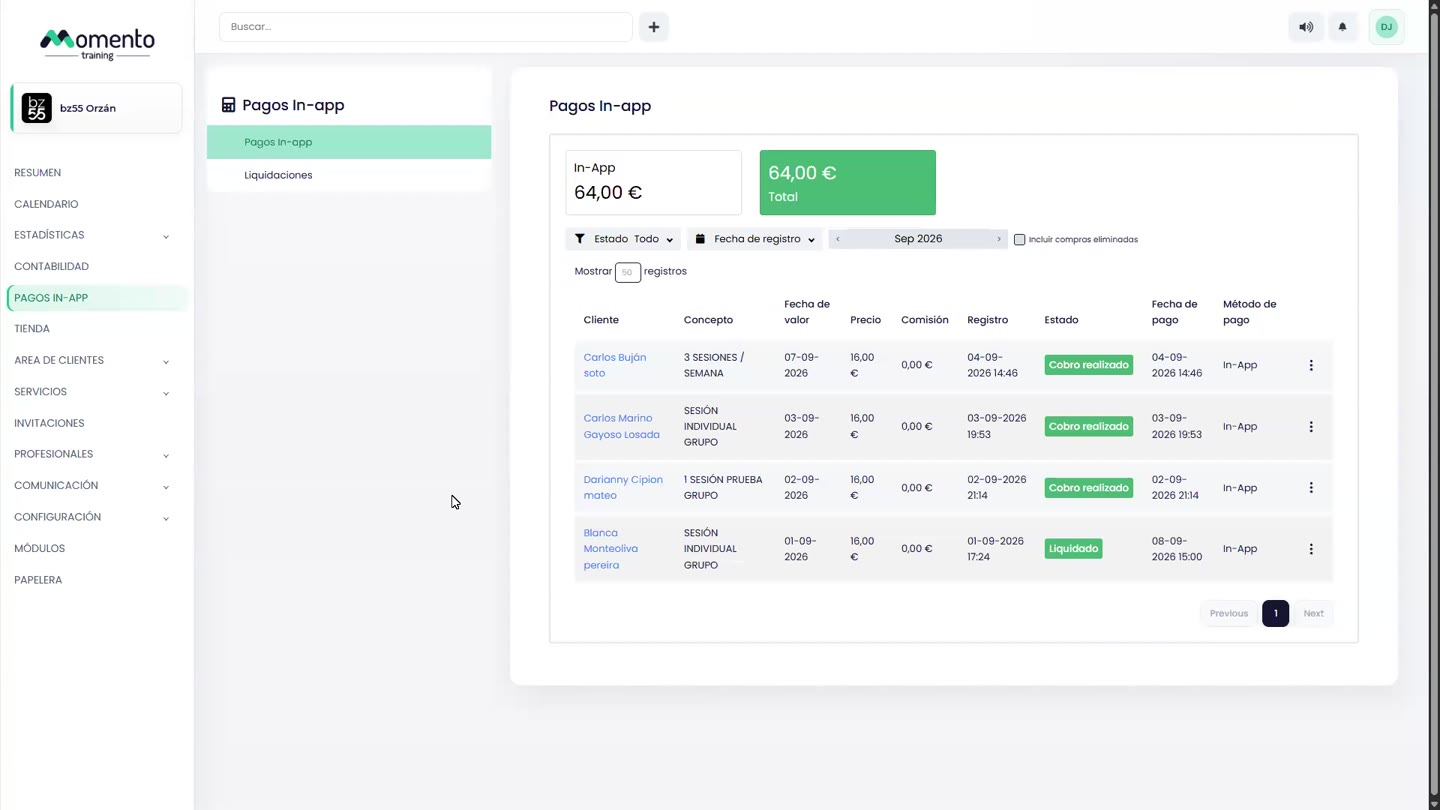
In-app payments are connected to Stripe and may involve different moments: client purchase, processed charge, and received payout.
The payouts section helps you understand which amounts finally arrive and how they relate to Accounting.
When refunds or cancellations happen, review both the payment status and the accounting reflection.
Recommended steps
- Open In-app payments.
- Review payments, payouts, or refunds depending on the issue you need to solve.
- Check the payment status before acting on a purchase or invoice.
- If the case affects accounting, also compare the operation in Accounting.
Before you start
Make sure you are in In-app payments and that you have permission to perform this action in the correct center.
If you are changing information that affects clients, bookings, payments, or notifications, review the current state first to avoid incomplete changes.
What happens next
After saving or applying the action, return to the related list, profile, or session and check that the change appears as expected.
If the result is not what you expected, review filters, selected date, active center, and item status before repeating the action.