Help Center
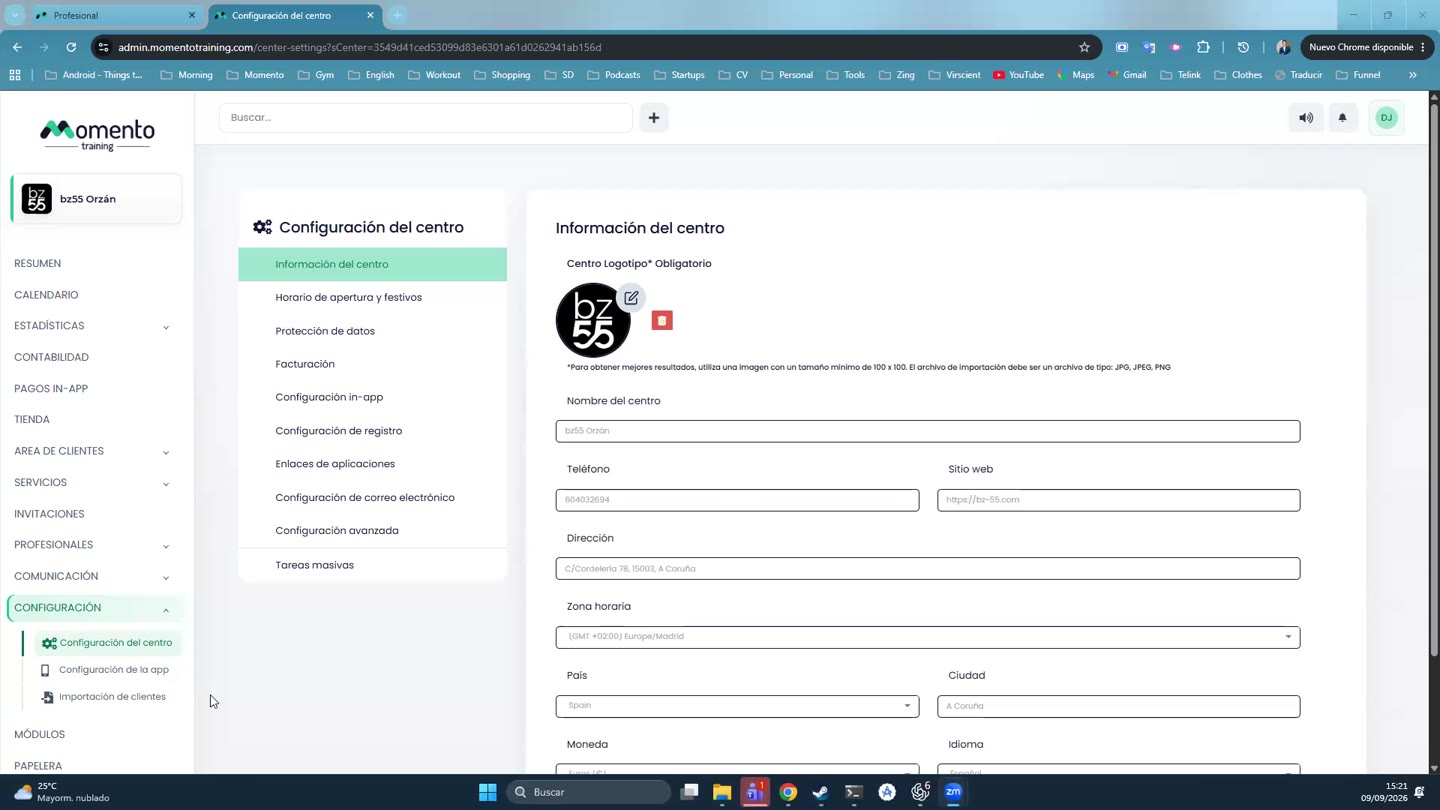
Center information
Name, logo, time zone and currency.

Written by MomentoNovember 6, 2026
- Go to Settings › Center settings, Center information tab.
- Fill in the Logo (required), name, phone, website, address, country and city.
- Check three settings that affect the whole panel:
- Time zone: class times and reminders use it.
- Currency: shown on prices, sales and invoices.
- Language.
- Click Save.
Important: check the time zone before creating your schedule. If it's wrong, every class will be shifted.