Help Center
Set up invitations
Let your clients invite friends to try a class for free.

Written by MomentoNovember 6, 2026
With invitations, your clients invite friends from the app to try a class for free. It's a really simple way to get new clients.
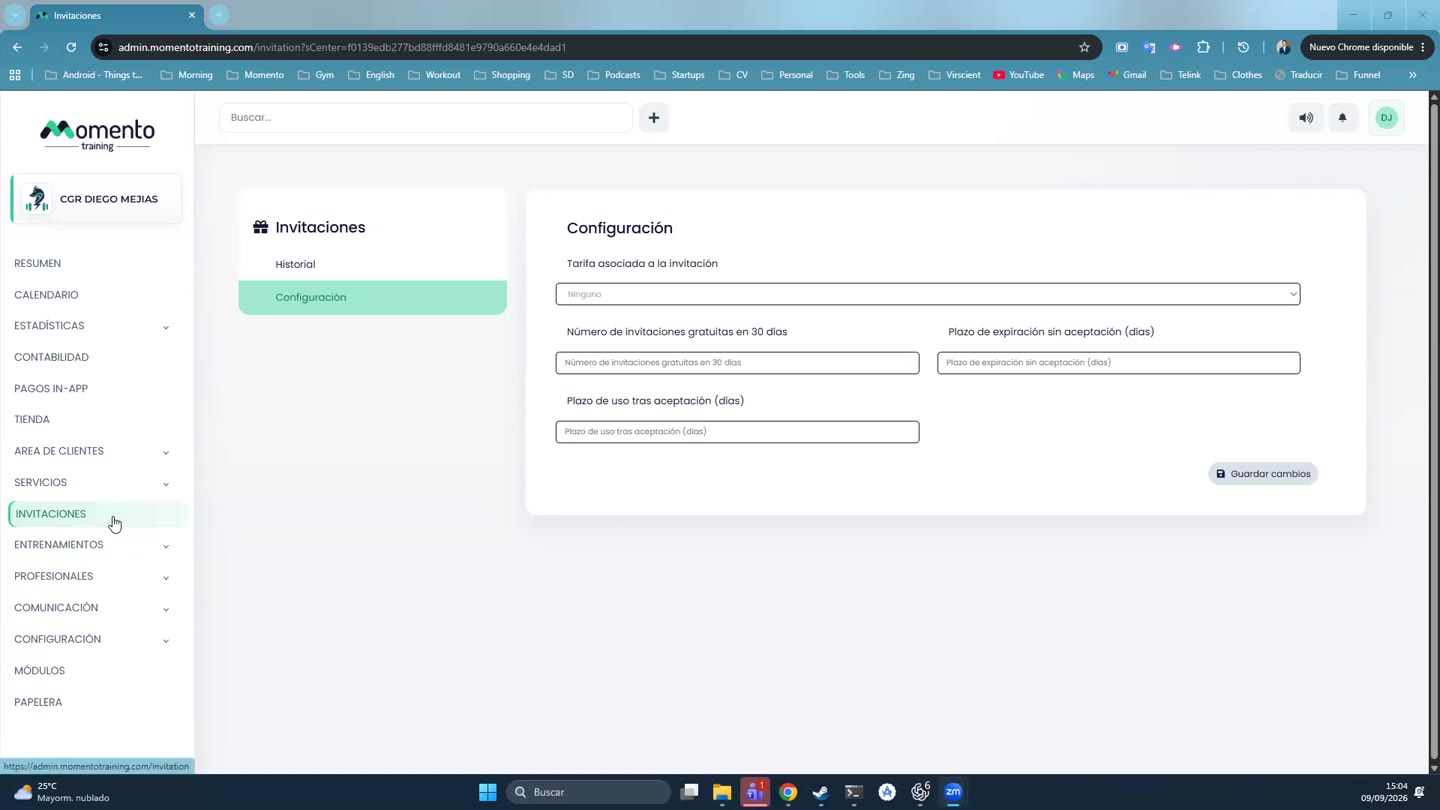
- Go to Invitations, Settings tab. At the top you'll see whether the section is enabled.
- Fill in:
- Price tier linked to the invitation: what the guest receives, for example a trial class.
- Number of free invitations in 30 days: how many each client can send.
- Expiry if not accepted, in days.
- Time to use after accepting, in days.
- Click Save changes.
Tip: link a trial session membership. That way guests show up as trial sessions in your reports.