 Help Center
Manage clients, profiles, filters, and smart lists
Work with the client list, profiles, sales, bookings, purchases, documents, and smart lists.

Use this guide to understand the main actions available in Manage clients, profiles, filters, and smart lists.
Before changing settings or operational data, review the current state of the center and any existing bookings, purchases, or client records that may be affected.
Follow the sections in order when you are learning the module for the first time. Once you know the flow, use the table of contents to jump directly to the area you need.
Recommended steps
- Go to Client area.
- Search for the client or apply filters if you need to work with a specific group.
- Open the profile and review personal details, purchases, bookings, documents, and preferences.
- Save the changes and verify that the profile is updated.
Pantallas principales
This section covers the Pantallas principales area in MomentoTraining.
Use it to understand where the option belongs, what information to review, and what result to check after making a change.
If the action affects clients, bookings, payments, or notifications, review the result before continuing with other changes.
Listado de clientes
This section covers the Listado de clientes area in MomentoTraining.
Use it to understand where the option belongs, what information to review, and what result to check after making a change.
If the action affects clients, bookings, payments, or notifications, review the result before continuing with other changes.
Columnas y datos del listado
This section covers the Columnas y datos del listado area in MomentoTraining.
Use it to understand where the option belongs, what information to review, and what result to check after making a change.
If the action affects clients, bookings, payments, or notifications, review the result before continuing with other changes.
Filtros del listado
This section covers the Filtros del listado area in MomentoTraining.
Use it to understand where the option belongs, what information to review, and what result to check after making a change.
If the action affects clients, bookings, payments, or notifications, review the result before continuing with other changes.
Seleccion multiple y acciones masivas
This section covers the Seleccion multiple y acciones masivas area in MomentoTraining.
Use it to understand where the option belongs, what information to review, and what result to check after making a change.
If the action affects clients, bookings, payments, or notifications, review the result before continuing with other changes.
Exportar clientes
This section covers the Exportar clientes area in MomentoTraining.
Use it to understand where the option belongs, what information to review, and what result to check after making a change.
If the action affects clients, bookings, payments, or notifications, review the result before continuing with other changes.
Crear un cliente
This section covers the Crear un cliente area in MomentoTraining.
Use it to understand where the option belongs, what information to review, and what result to check after making a change.
If the action affects clients, bookings, payments, or notifications, review the result before continuing with other changes.
Ficha individual del cliente
This section covers the Ficha individual del cliente area in MomentoTraining.
Use it to understand where the option belongs, what information to review, and what result to check after making a change.
If the action affects clients, bookings, payments, or notifications, review the result before continuing with other changes.
Acciones superiores del cliente
This section covers the Acciones superiores del cliente area in MomentoTraining.
Use it to understand where the option belongs, what information to review, and what result to check after making a change.
If the action affects clients, bookings, payments, or notifications, review the result before continuing with other changes.
Nueva venta
This section covers the Nueva venta area in MomentoTraining.
Use it to understand where the option belongs, what information to review, and what result to check after making a change.
If the action affects clients, bookings, payments, or notifications, review the result before continuing with other changes.
Nueva venta recurrente
This section covers the Nueva venta recurrente area in MomentoTraining.
Use it to understand where the option belongs, what information to review, and what result to check after making a change.
If the action affects clients, bookings, payments, or notifications, review the result before continuing with other changes.
Pestaña Resumen
This section covers the Pestaña Resumen area in MomentoTraining.
Use it to understand where the option belongs, what information to review, and what result to check after making a change.
If the action affects clients, bookings, payments, or notifications, review the result before continuing with other changes.
Compras recurrentes activas
This section covers the Compras recurrentes activas area in MomentoTraining.
Use it to understand where the option belongs, what information to review, and what result to check after making a change.
If the action affects clients, bookings, payments, or notifications, review the result before continuing with other changes.
Saldo de cuota
This section covers the Saldo de cuota area in MomentoTraining.
Use it to understand where the option belongs, what information to review, and what result to check after making a change.
If the action affects clients, bookings, payments, or notifications, review the result before continuing with other changes.
Calendario del cliente
This section covers the Calendario del cliente area in MomentoTraining.
Use it to understand where the option belongs, what information to review, and what result to check after making a change.
If the action affects clients, bookings, payments, or notifications, review the result before continuing with other changes.
Pestaña Perfil
This section covers the Pestaña Perfil area in MomentoTraining.
Use it to understand where the option belongs, what information to review, and what result to check after making a change.
If the action affects clients, bookings, payments, or notifications, review the result before continuing with other changes.
Tipo de tarifa del cliente
This section covers the Tipo de tarifa del cliente area in MomentoTraining.
Use it to understand where the option belongs, what information to review, and what result to check after making a change.
If the action affects clients, bookings, payments, or notifications, review the result before continuing with other changes.
Datos de facturacion
This section covers the Datos de facturacion area in MomentoTraining.
Use it to understand where the option belongs, what information to review, and what result to check after making a change.
If the action affects clients, bookings, payments, or notifications, review the result before continuing with other changes.
Nota visual o alertas
This section covers the Nota visual o alertas area in MomentoTraining.
Use it to understand where the option belongs, what information to review, and what result to check after making a change.
If the action affects clients, bookings, payments, or notifications, review the result before continuing with other changes.
Preferencias de notificacion y avisos
This section covers the Preferencias de notificacion y avisos area in MomentoTraining.
Use it to understand where the option belongs, what information to review, and what result to check after making a change.
If the action affects clients, bookings, payments, or notifications, review the result before continuing with other changes.
Avanzado
This section covers the Avanzado area in MomentoTraining.
Use it to understand where the option belongs, what information to review, and what result to check after making a change.
If the action affects clients, bookings, payments, or notifications, review the result before continuing with other changes.
Pestaña Citas
This section covers the Pestaña Citas area in MomentoTraining.
Use it to understand where the option belongs, what information to review, and what result to check after making a change.
If the action affects clients, bookings, payments, or notifications, review the result before continuing with other changes.
Reservas automáticas del cliente
This section covers the Reservas automáticas del cliente area in MomentoTraining.
Use it to understand where the option belongs, what information to review, and what result to check after making a change.
If the action affects clients, bookings, payments, or notifications, review the result before continuing with other changes.
Pestaña Compras
This section covers the Pestaña Compras area in MomentoTraining.
Use it to understand where the option belongs, what information to review, and what result to check after making a change.
If the action affects clients, bookings, payments, or notifications, review the result before continuing with other changes.
Pagos In-app en la ficha
This section covers the Pagos In-app en la ficha area in MomentoTraining.
Use it to understand where the option belongs, what information to review, and what result to check after making a change.
If the action affects clients, bookings, payments, or notifications, review the result before continuing with other changes.
Programas de entrenamiento
This section covers the Programas de entrenamiento area in MomentoTraining.
Use it to understand where the option belongs, what information to review, and what result to check after making a change.
If the action affects clients, bookings, payments, or notifications, review the result before continuing with other changes.
Personas relacionadas
This section covers the Personas relacionadas area in MomentoTraining.
Use it to understand where the option belongs, what information to review, and what result to check after making a change.
If the action affects clients, bookings, payments, or notifications, review the result before continuing with other changes.
Documentos dentro de la ficha
This section covers the Documentos dentro de la ficha area in MomentoTraining.
Use it to understand where the option belongs, what information to review, and what result to check after making a change.
If the action affects clients, bookings, payments, or notifications, review the result before continuing with other changes.
Pantalla global de Documentos
This section covers the Pantalla global de Documentos area in MomentoTraining.
Use it to understand where the option belongs, what information to review, and what result to check after making a change.
If the action affects clients, bookings, payments, or notifications, review the result before continuing with other changes.
Historial clinico
This section covers the Historial clinico area in MomentoTraining.
Use it to understand where the option belongs, what information to review, and what result to check after making a change.
If the action affects clients, bookings, payments, or notifications, review the result before continuing with other changes.
Notificaciones
This section covers the Notificaciones area in MomentoTraining.
Use it to understand where the option belongs, what information to review, and what result to check after making a change.
If the action affects clients, bookings, payments, or notifications, review the result before continuing with other changes.
Facturas
This section covers the Facturas area in MomentoTraining.
Use it to understand where the option belongs, what information to review, and what result to check after making a change.
If the action affects clients, bookings, payments, or notifications, review the result before continuing with other changes.
Metodos de pago
This section covers the Metodos de pago area in MomentoTraining.
Use it to understand where the option belongs, what information to review, and what result to check after making a change.
If the action affects clients, bookings, payments, or notifications, review the result before continuing with other changes.
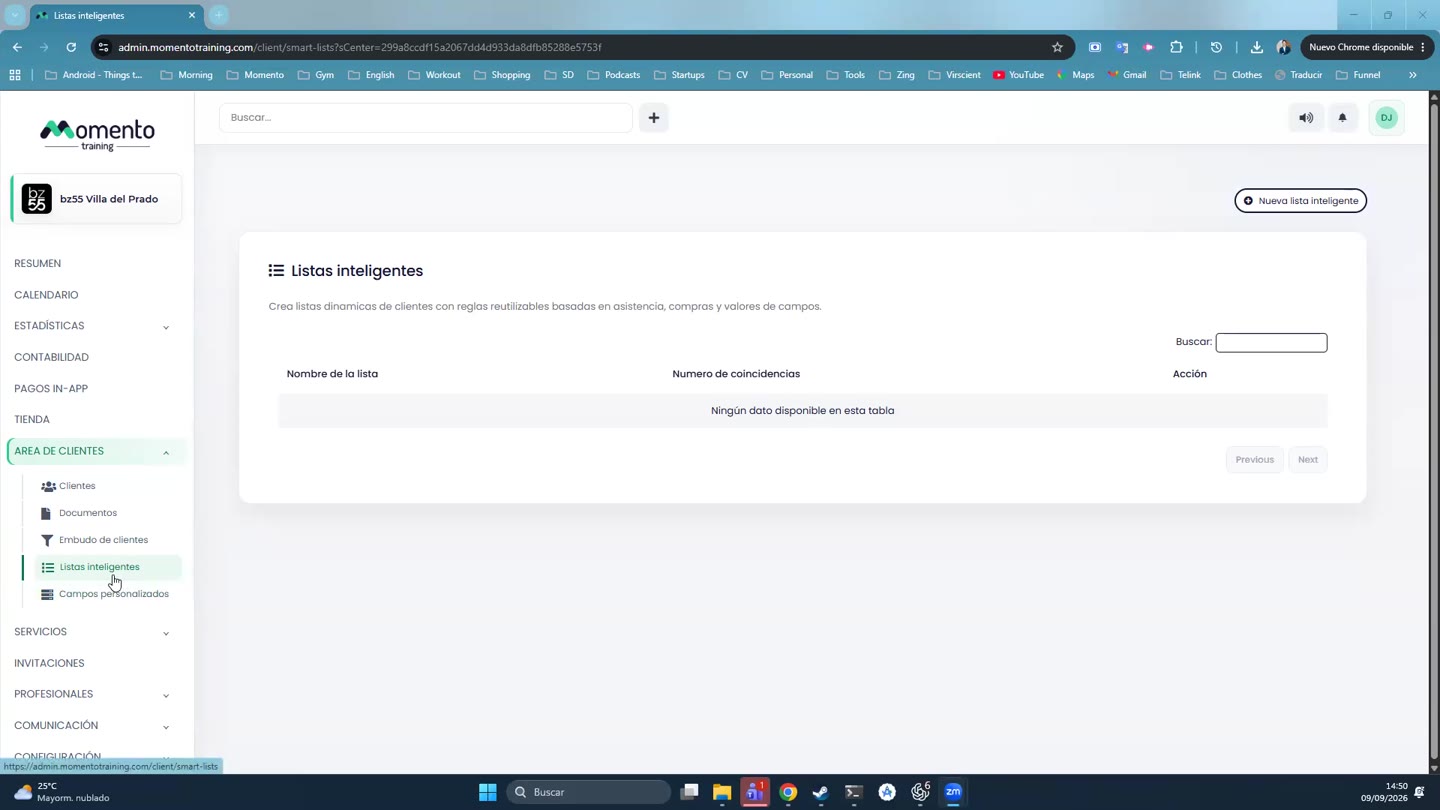
Listas inteligentes
This section covers the Listas inteligentes area in MomentoTraining.
Use it to understand where the option belongs, what information to review, and what result to check after making a change.
If the action affects clients, bookings, payments, or notifications, review the result before continuing with other changes.
Reglas de listas inteligentes
This section covers the Reglas de listas inteligentes area in MomentoTraining.
Use it to understand where the option belongs, what information to review, and what result to check after making a change.
If the action affects clients, bookings, payments, or notifications, review the result before continuing with other changes.
Previsualizar una lista inteligente
This section covers the Previsualizar una lista inteligente area in MomentoTraining.
Use it to understand where the option belongs, what information to review, and what result to check after making a change.
If the action affects clients, bookings, payments, or notifications, review the result before continuing with other changes.
Acciones sobre listas inteligentes
This section covers the Acciones sobre listas inteligentes area in MomentoTraining.
Use it to understand where the option belongs, what information to review, and what result to check after making a change.
If the action affects clients, bookings, payments, or notifications, review the result before continuing with other changes.
Campos personalizados
This section covers the Campos personalizados area in MomentoTraining.
Use it to understand where the option belongs, what information to review, and what result to check after making a change.
If the action affects clients, bookings, payments, or notifications, review the result before continuing with other changes.
Tipos de campos personalizados
This section covers the Tipos de campos personalizados area in MomentoTraining.
Use it to understand where the option belongs, what information to review, and what result to check after making a change.
If the action affects clients, bookings, payments, or notifications, review the result before continuing with other changes.
Campos por defecto
This section covers the Campos por defecto area in MomentoTraining.
Use it to understand where the option belongs, what information to review, and what result to check after making a change.
If the action affects clients, bookings, payments, or notifications, review the result before continuing with other changes.
Editar o eliminar campos personalizados
This section covers the Editar o eliminar campos personalizados area in MomentoTraining.
Use it to understand where the option belongs, what information to review, and what result to check after making a change.
If the action affects clients, bookings, payments, or notifications, review the result before continuing with other changes.
Embudo de clientes
This section covers the Embudo de clientes area in MomentoTraining.
Use it to understand where the option belongs, what information to review, and what result to check after making a change.
If the action affects clients, bookings, payments, or notifications, review the result before continuing with other changes.
Relación entre listado, ficha, listas y campos
This section covers the Relación entre listado, ficha, listas y campos area in MomentoTraining.
Use it to understand where the option belongs, what information to review, and what result to check after making a change.
If the action affects clients, bookings, payments, or notifications, review the result before continuing with other changes.
Buenas practicas
This section covers the Buenas practicas area in MomentoTraining.
Use it to understand where the option belongs, what information to review, and what result to check after making a change.
If the action affects clients, bookings, payments, or notifications, review the result before continuing with other changes.
Rutina recomendada
This section covers the Rutina recomendada area in MomentoTraining.
Use it to understand where the option belongs, what information to review, and what result to check after making a change.
If the action affects clients, bookings, payments, or notifications, review the result before continuing with other changes.
Errores comunes
This section covers the Errores comunes area in MomentoTraining.
Use it to understand where the option belongs, what information to review, and what result to check after making a change.
If the action affects clients, bookings, payments, or notifications, review the result before continuing with other changes.
Permisos y visibilidad
This section covers the Permisos y visibilidad area in MomentoTraining.
Use it to understand where the option belongs, what information to review, and what result to check after making a change.
If the action affects clients, bookings, payments, or notifications, review the result before continuing with other changes.