Help Center
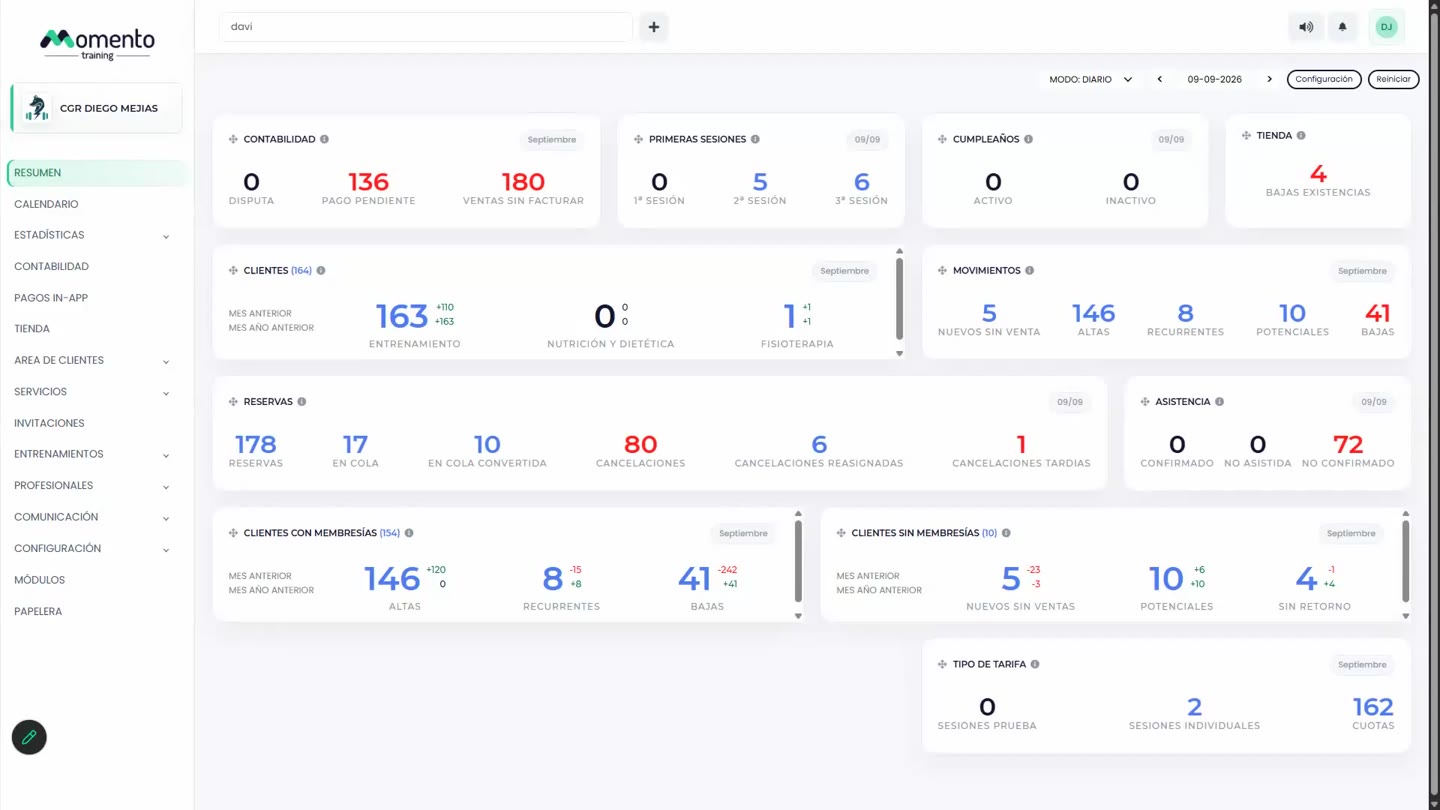
The Overview screen
What you see when you log in: your center's key figures for the day or the month.

Written by MomentoNovember 6, 2026
The Overview is the first thing you see when you log in. It groups your center's most important figures into blocks so you can tell at a glance how the day or the month is going.
Choose the period
At the very top you can choose:
- Daily mode: figures for one day.
- Monthly mode: figures for the whole month.
- The arrows: to move to the previous or next day or month.
Open the client lists
Many blocks show a number you can click. When you do, the list of clients behind it opens. For example, click the number of birthdays to see who has a birthday today.
What each block means is explained in What each Overview block means.