Help Center
Invoice lots of sales at once
Generate invoices for every uninvoiced sale in one go.

Written by MomentoNovember 6, 2026
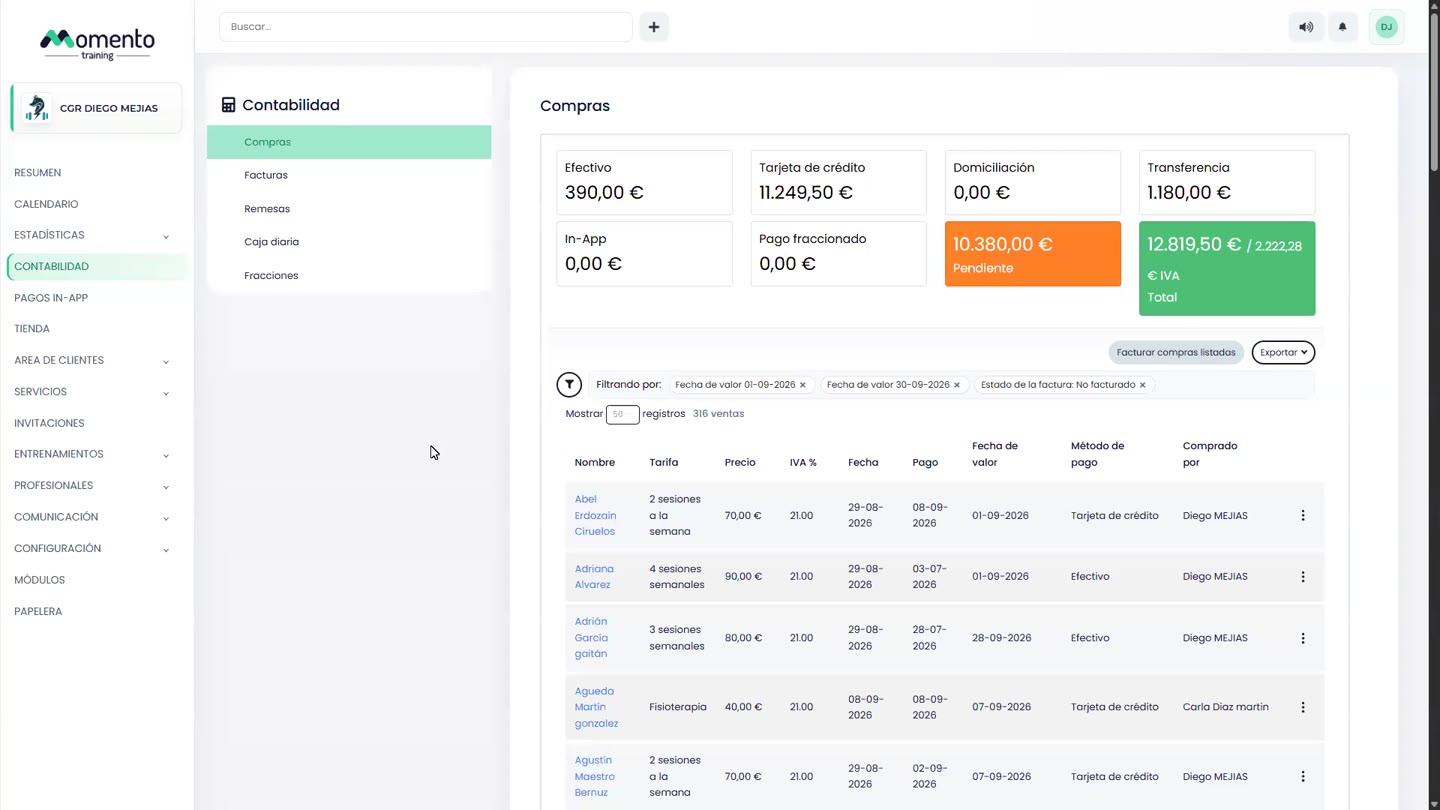
- Go to Accounting › Purchases.
- Filter by Value date and by Invoice status: Not invoiced.
- Check the list.
- Click Invoice listed purchases.
- Choose the Issue date and confirm.
A progress bar shows how many invoices were generated and whether there were any errors.
Tip: if you turn on Automatic invoice in Set up billing, sales are invoiced automatically and you don't need this step. The Unbilled figure on the Overview reminds you how many are left.