Help Center
Review your center's sales
All sales, by payment method and with what's still pending.

Written by MomentoNovember 6, 2026
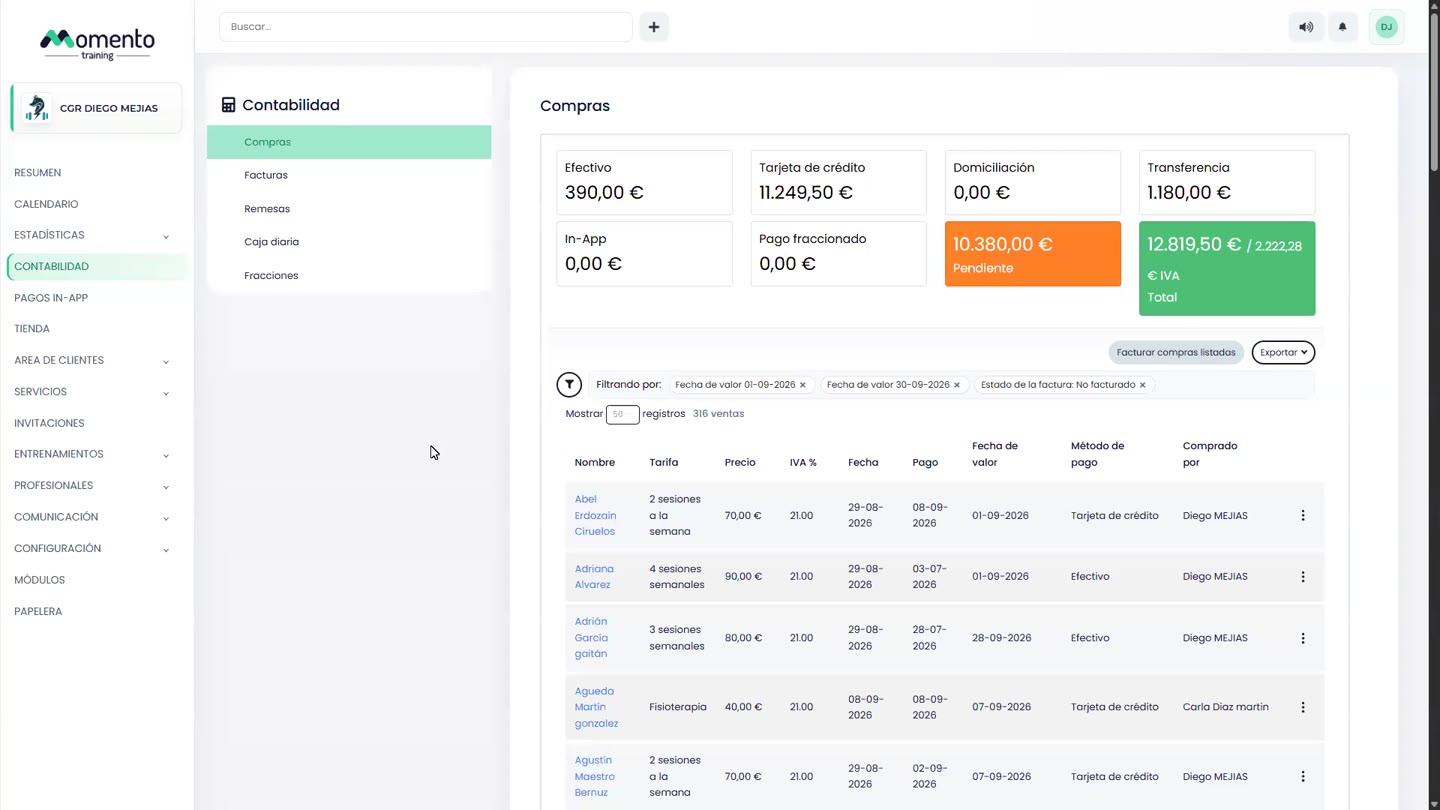
In Accounting › Purchases, the top shows the period's totals by payment method: cash, card, direct debit, bank transfer, in-app, installment payment and pending, plus the total and its VAT.
Below is the list of sales with the client, price tier, price, VAT, date and how it was paid.
- Use the filters to choose the dates (Value date) and the Invoice status (for example, Not invoiced).
- Click the client's name to open their purchases.
- Click Export to download the filtered list.
Sale date, payment date and value date
- Sale date: when the sale was made.
- Payment date: when it was collected.
- Value date: the date that counts for accounting and reports.