Help Center
Book a client into a class
Make a booking from the panel on a client's behalf.

Written by MomentoNovember 6, 2026
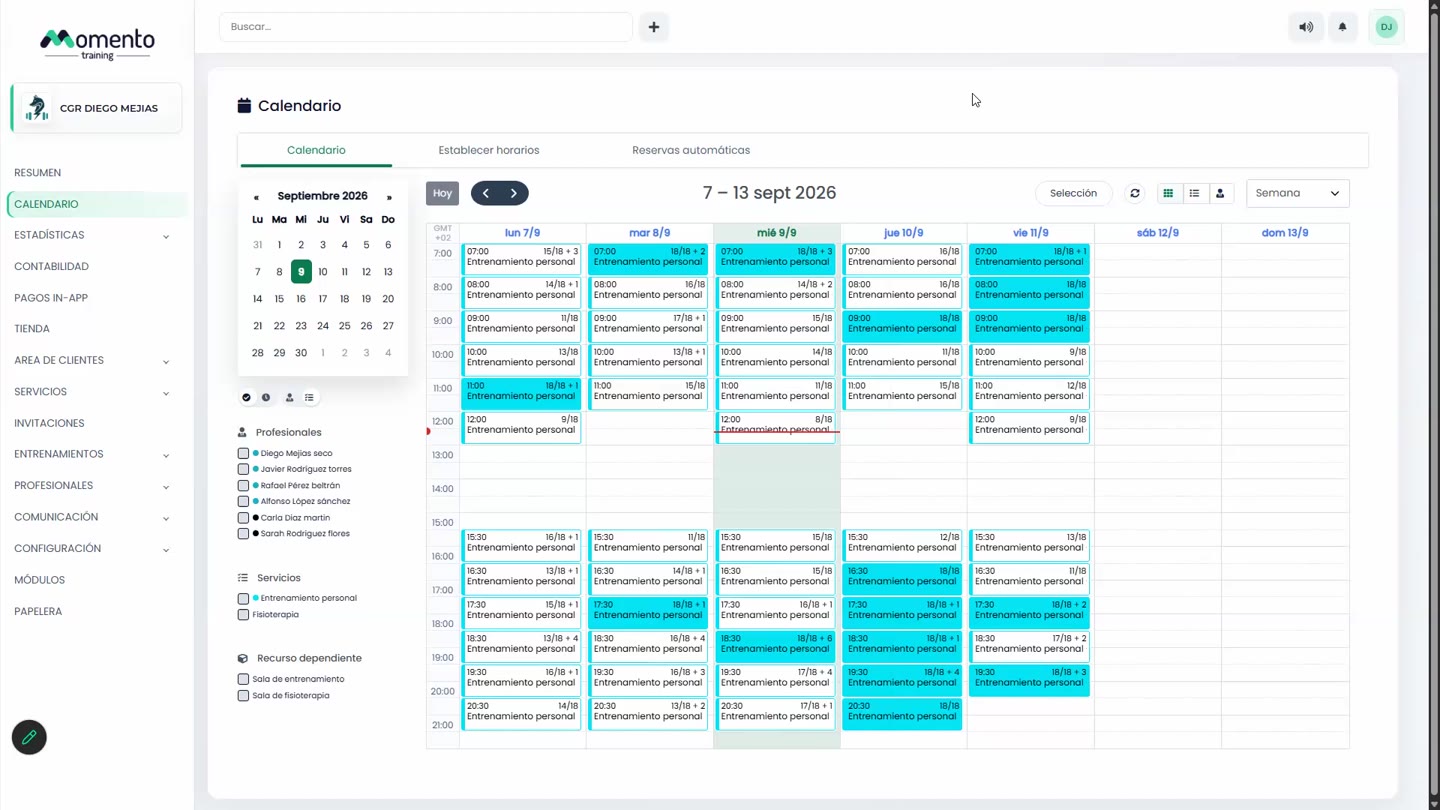
- On the Calendar, click the class.
- In the window's search box, type the client's name and select them.
- Click Book.
The client appears in the Booked tab and the counter updates (for example, 1/10).
If the client has no valid membership
If the client has no sessions left on a membership that includes that service, the panel warns you. You have two options:
- Sell them a membership from their file and book again.
- If you've turned on Allow bookings with purchases pending payment, the booking goes through anyway and the sale is left pending payment.
If the class is full
The client joins the waitlist. If you want to make an exception and put them in anyway, you can move them from the waitlist into the class from the panel, even if it goes over capacity.
Booking statuses
- Booked: all good.
- Pending payment: the booking uses a membership that hasn't been paid yet. The client has their spot, but there's a payment outstanding.
- Pending redemption: the booking exists but isn't linked to any membership. You need to redeem it against a purchase or charge for it.
Important: pending payment and pending redemption aren't the same. The first is an unpaid membership; the second is a booking with no membership.